Empires & Allies Tips and Tricks and Info
◄Back to Empires & Allies FAQ, Tips, Tricks and Strategy Guides List Here is a list of Tips and Tricks for your favorite Facebook browser online game: Empires & Allies. Go through the different buildings and informations to plan on how to revive your Empire to it’s former glory!
 |
|
PLAY EMPIRES & ALLIES ON FACEBOOK |
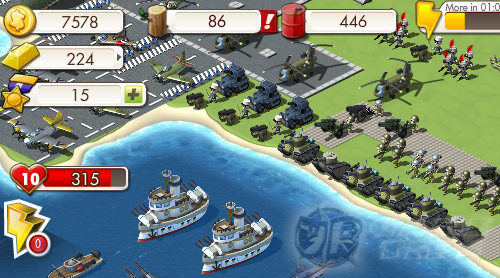
Bonus Bar – The bonus bar fills up every time you pick up resources like Coins, Woods, Exp and more. – You must click them to fill up your Bonus bar. Unclicked resources will not be counted. – When the bonus bar starts to blink (red), you need to pick up something so you won’t lose your bonus streak. – This is a great source of coins early on by clearing out destroyed buildings and trees.
Tasks
– Click on the icons at the left of your game screen to accept new tasks. – Icons with NPC faces means you haven’t accepted the task yet. – Follow tasks to guide you through the game (recommended).
Gifting
– Ask your friends by giving gifts to them. – Recommended gifts: Liberty Bonds or Energies.
Feed Rewards
– Rewards that you can claim from your wall or from your friend’s Facebook wall. – You can only collect feed rewards from your allies.
– Empires & Allies Buildings –
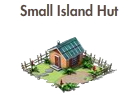
Houses – Under Housing Tab; Resources: Coins – Build more houses to raise your empire’s population. – Build more to unlock higher Military and Industry Buildings. – Spending energies for claiming coins from Houses is not recommended. Let your neighbors do the claiming instead.
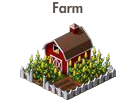
Farms – Under Industry Tab; Resources: Coins – Plant crops then harvest them. A great source of Coins! – Build at least 2 Farms for every 3 Levels.
Military Buildings
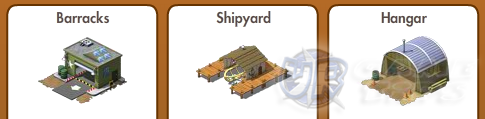
– Use to construct Basic, Advanced and Most Effective Ground, Naval and Air units. – Build at least 1 or 2 of the same type name. Don’t construct more than that unless a task requires it. – Limit yourself to up to 5 units of the same type name to conserve resources. – If you want to gain more units for defending, create more Cadet Soldiers.
Why Cadet Soldiers?
– To welcome invasions! – Invasions are good because you can gain all kinds of resources and EXP. – Other than the campaign, repelling invasions is a good source of EXP. – In case someone invades with a merciless force, hire your friends to expel the invader.
Then why not let your Empire go defenseless?
– A defenseless empire will generate random units including high units to defend.
Industry Buildings
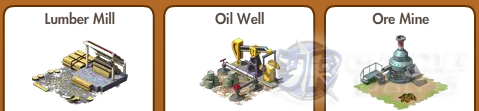
– Build to gain resources: Wood, Oil and Ores. – Ores are randomly generated. Every player can only harvest one kind of ore. – Lumber is greatly needed so build more Lumber Mills than the others.
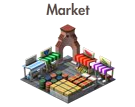
Market – Under Industry Building – Sell your surplus resources in your Market but never sell Wood or Oil unless you don’t really need them anymore. – To check what your neighbors are selling, click on “My Neighbors” tab next to “Play” tab.
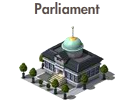
Government Buildings – Under Government Tab; Resources: Coins – To raise your empire’s maximum population, build a Government Building. – Government Buildings can be unlocked after reaching a certain level and they need to be staffed with employees. Hire your friends to work for you.

World Embassy – Build to start neutrality or immunity. – Activate to prevent invasions from hostile players. – Activating the World Embassy after an enemy successfully invaded your empire will not remove that invasion. – When activated you will also lose your occupations. Means, all your invasions will be redrawn from your neighbors.
Decorations – Purchase decorations to complete tasks.
– Empires & Allies Neighbor Interaction –
Battle – Select units that have an advantage over your enemies. – Mouse over your units and look at the “Bonus Against” stat window above them. – Remember to use the symbols as a guide when choosing units. If done correctly, you will get a huge boost on your damage output and a chance to land critical hits.
Critical Hits!
– Dealing criticals will gain you more resources, EXP and energies!
– If you can dish out criticals more often, you can actually gain energy instead of losing.
Visiting Allied Empires
– 5 free Energies to help your allies, gain Honor, Energy and resources for your empire.
– Recommended resources to get from your neighbors:
– Ores, Woods, Oils and Coins from the Government Building if you are a staff. – You can also repel invaders from your neighbors.
TIP: You can only repel invaders with orange portrait icons. Gray ones are already repelled.
Invading Neighbor’s Empires – Enter a battle to occupy and gain Infamy points and resources. – You can’t invade players below level 6 or players with active immunity.
Pros:
– You can pillage resources without using energy. – Infamy points to get Power-Ups.
Cons:
– Can’t gain bonus Energy from that neighbor. – Can’t use Market from that neighbor. – Can’t repel invaders from that neighbor. – They might remove you as their neighbor so it’s better to invade inactive players.
Honor and Infamy

Honor – Earned by doing tasks for your neighbors including repelling invasions.
– Honor Power-Ups are mostly focused on defense and healing.
Infamy
– Earned by invading your neighbors.
– Infamy Power-Ups are mostly focused on doing damage to the enemy.
Frequently Asked Questions
How to store units into my storage?
– To place your units in your inventory, click the unit from your barracks, shipyard or hangar and click the cancel button (x). – Units that are already deployed in the field can’t be stored. – Units stored can still be used for campaign, invading and repelling.
How to expand my Empire?
– Under Expansion Tab – Requires Coins and 10 Liberty Bonds for a single expansion. – Claim Liberty Bonds from your friends or by completing campaign battles.
How to Expel Invaders?
– Click on the Invader then click on “Ask for Help”. – After recruiting allies, click on “Ask for Help” again to Expel the invader.
How to remove a Neighbor?
– Click on “My Neighbors” tab next to “Play” tab. Related Empires & Allies Tips & Guides:
Empires & Allies Ultimate Leveling Guide or
– CLICK HERE TO BROWSE MORE EMPIRES & ALLIES TIPS & GUIDES –