Fallout Shelter: List of In-Game Loading Screen Tips – Android and iOS
Here’s a list of tips that is available from the Fallout Shelter’s in-game loading screens. The most interesting tips below are those under Wasteland, it looks like a dweller’s SPECIAL stats greatly affects the performance of your explorations, so sending a high Lvl dweller with great stats, armor and weapon, will be very productive. 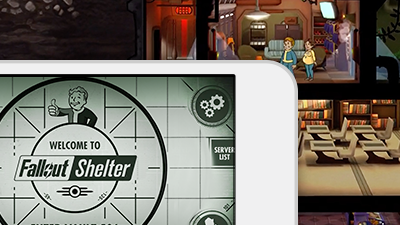

– Fallout Shelter Loading Screen Tips –
Dwellers Info and Tips – Tap a Dweller’s SPECIAL chart for more details. – You can rename a Dweller by tapping their name on the Dweller information pop-up. – You can sort the Dweller list by tapping on the column names.
About Rooms and Dwellers
– Rooms run on Power. Dwellers run on Food and Water. – Assign Dwellers to production rooms to obtain resources. – When a room finishes production, you have a chance to get bonus CAPS based on the Dwellers – If a room is full of Dwellers, the Dweller with the lowest stat for that room will swap places with the new Dweller. – Dwellers with high Strength perform better on Power rooms. – Dwellers with high Perception perform better in Water rooms. – Dwellers with high Agility perform better in Food rooms. – You can assign Dwellers to the Vault entrance to act as guards. – When a Dweller is assigned to the Radio room it will increase all Vault Dwellers happiness.
Rooms and Elevators
– Upgrading a room will make it more efficient and give you more storage. – There are higher tier versions of the production rooms that are more efficient, but more expensive. – Rooms farthest from a power source will shut down first.
– Build Storage Rooms to increase your Vault’s Weapon and Outfit holding capacity.
– Build Medbays and Science Labs to increase your limit of Stimpaks and RadAways.
– Build a Medbay to produce Stimpaks.
– Build a Science Lab to produce RadAways.
– The Weight Room will allow you to train a Dweller’s Strength.
– The Armory room will allow you to train a Dweller’s Perception.
– The Fitness Room will allow you to train a Dweller’s Endurance.
– The Lounge will allow you to train a Dweller’s Charisma.
– The Classroom will allow you to train a Dweller’s Intelligence.
– The Athletics Room will allow you to train a Dweller’s Agility.
– The Game Room will allow you to train a Dweller’s Luck.
– Radio rooms attract new Dwellers and improve the happiness in your Vault.
– If you are out of building space on a floor, build an Elevator to access lower parts of your Vault.
– Tap on the resource bars at the top of the screen for more details on your resource storage. – Successfully Rushing will give you the room’s regular rewards plus a special bonus!
Wasteland Tips
– To quickly check on your Dwellers exploring, just tap directly on the Wasteland.
– The longer a Dweller survives in the Wasteland, the better gear they will find.
– Higher level Dwellers with high SPECIAL have a better chance of surviving in the Wasteland. – Your Dweller does not suffer damage or radiation when returning from the Wasteland.
– Each SPECIAL stat increases a Dweller’s effectiveness in the Wasteland in its own way.
Raids!
– Raiders can strike any time, be sure to have Dwellers ready and on guard! – During a Raider attack, flashing resource bars means they are stealing your resources! – Upgrading your Vault entrance will make it harder for Raiders to break in.
Objectives and Other Info
– You can skip 1 Objective each day by tapping the X on the Objective screen. – You can get free Lunchboxes for completing some Objectives. – Need extra CAPS? You can sell weapons and outfits from your Vault storage. – Confused how something works? Check the VDSG in the Pip-Boy for help. – A nuclear winter is cold, keep warm with Vault-Tec! – Vault-Tec. We’ll be there! Vault-Tec. If I missed something, feel free to comment them below, thanks. ^^
Related Fallout Shelter Tips & Guides: