Garena Free Fire – How to Play on PC with LDPlayer (Android Emulator)
Garena Free Fire – is a survival shooter mobile game where players enter a battlefield where there is only one winner – the last man standing! Will you go beyond the call of duty and be the one under the shining lite?
– Presented by GARENA INTERNATIONAL I PRIVATE LIMITED. Available to download from the App Store (iOS) and Google Play (Android).
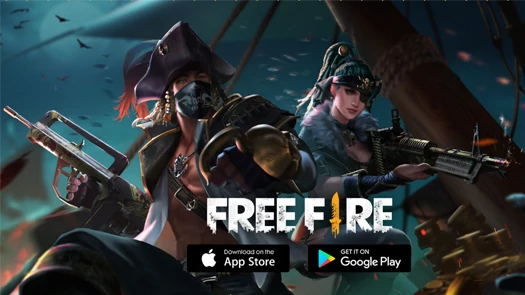 – Search for weapons and supplies to bolster your chances of survival, stay in the play zone, drive, hide, become invisible, ambush, snipe, and loot your enemies – your aim is to stay in the safe zone for as long as possible! Eventually, players are forced into a shrinking play zone to engage each other in a tactical and diverse environment.

 – LDPlayer is a free Android Emulator that helps you run mobile games on your Windows PC or Laptop, giving you the opportunity to improve your gaming experience by transforming your high end computer into a whole new mobile gaming platform!
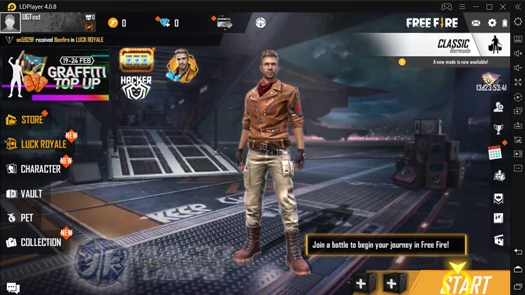 – LDPlayer is also a popular choice among players, because it runs smooth, supports a wide range of mobile games including those that requires higher hardware specification and Android version (that most smartphones can’t fully run!). The team are also constantly optimizing existing games to deliver excellent compatibility and improve gameplay of users. – The perfect Android emulator to play mobile games on PC!
– To start taking your mobile gaming experience to another level, you must first Download and Install this android gaming platform on your PC first (run the Installer and complete the setup).
 Download LDPlayer Android Emulator Now!
(Click link above to download the latest version of LDPlayer from their official website)  – Next, Search “Garena Free Fire” using LDPlayer’s Search Bar.
– Install the game from LD Store or via Google Play (like you usually do).
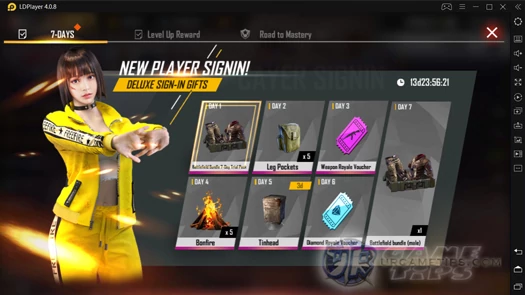
– With LDPlayer, you can now get more play time (no more battery problems), enjoy the game with wider screen, better graphics, smoother gameplay, and more! One more notable advantage is that you can get faster reaction time while playing certain games, because you’ll be taking advantage of your keyboard and mouse’s flexibility, plus LDPlayer’s Hotkeys and Macro controls!
– Download Garena Free Fire on PC with LDPlayer
– Some games will come with a default control scheme, but you can customize them anytime by selecting the “Keyboard Mapping” icon on the side bar while playing to open the keyboard mapping setting window.
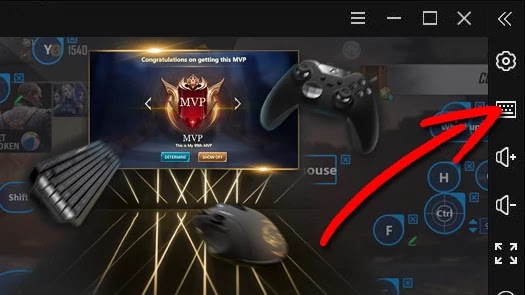
– Garena Free Fire is a battle royal type shooter game, so fast reaction and accuracy is really important here. Please note that you need to be careful when setting up your own hotkeys because it might disrupt the existing ones. We highly recommended that you use the keyboard mapping which is provided by default first.
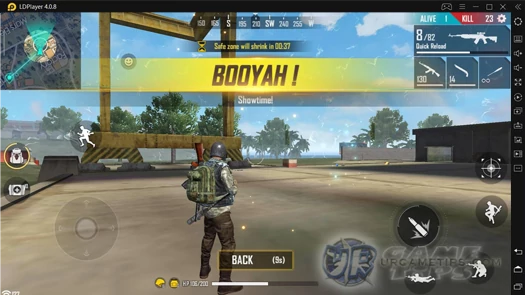
– If you need help on how to set up your hotkeys, you can refer to their excellent guide here:
– An Introduction to Keyboard Mapping on LDPlayer
– If you have an existing game from your phone or tablet, make sure that it is properly linked to your account first to back up your data and play your game on multiple devices like using PC and LDPlayer. – Go to the in-game Settings and Connect or Link your Game to any social media or game account (if available).  – Note: Before anything else, make sure that you have the latest version of LDPlayer.

(Download and update your Android Emulator to support newer Android games)
– If you encounter any problems while using LDPlayer, you can check their official website support page, or for feel free to report your concerns on their official Facebook Page or Subreddit Community.