ZENONIA S: Rifts in Time – How to Add Friends using HIVE Account
Play the game with a HIVE Account (or link your Facebook account) to be able to invite/accept friends in-game, this feature is not available for Guest Accounts. Note that Friends in-game and HIVE friends are different. 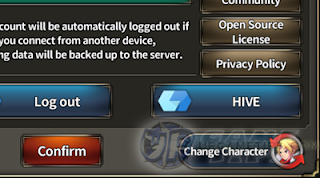 How To Add HIVE Friends?
Access Hive (In-Game)
– Go to the in-game Settings (Gear Icon) Menu then click on the HIVE button.
HIVE Page (Off-Game)
– Go to your Profile > Friends > Add Friend – Search for HIVE IDs or Names. – Under the search bar, you can also scroll down to check the “Suggested Friends” section, add anyone that you know or like. – Above the search bar, click on the “Received” tab to check friend requests.
Where is my HIVE ID?
– Your HIVE ID can be found in your Profile: user******** – Share this ID in-game or to your friends to add you up.
– You can also post your IDs in the comments section below, to let other readers here add you.
Add Hive Friend Rewards
– You can check the available rewards via the [Friends] section in-game, then check the [Invite Friend] tab.
 – Note that rewards varies depending on the current in-game event.
______________________________
Related ZENONIA S: Rifts in Time Tips & Guides:
or

«Go Back to ZENONIA S Guides List