Zombie Misfits: How to Use Mods on Weapons
◄Back to Zombie Misfits FAQ, Tips, Tricks and Strategy Guides List Mods come in two flavors: Weapon Mods and Defender Mods. Applying a mod to a defender or a weapon will make it more powerful in different ways. Note that Mods will never expire and are not consumable like Weapons or Contraptions.
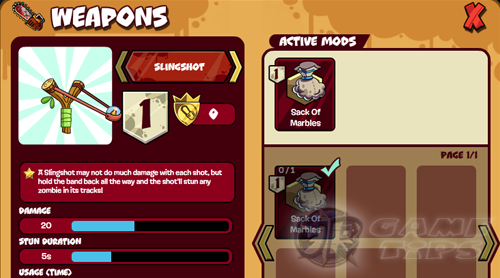
– Mods –
Unlocking Mods
– Mods are unlocked according to a progression sequence as player level increases.
– Continue leveling until you can unlock the Mod that you need.
– Finally, you can go to the store and purchase your Weapon Mod.
– Click on the icon similar below to view all Mods available in the store.

– For starters, purchase the Sack of Marbles for your Slingshot.
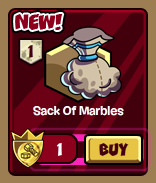
– Move your mouse over the Mods to see the Weapon that can equip the Mod.
______________________________________________________________________
– Click the Weapon icon to view all available Weapons in your list.
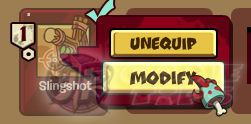
– Click on the Weapon you want to Modify. For this guide, we will use the Slingshot.
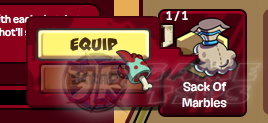
– At the Weapons Mod page, equip the Mod that you just bought for your Slingshot.
– Now you are good to go! Don’t forget to equip your modified Weapon in the preparation
screen before the battle.
______________________________________________________________________
Frequently Asked Questions
– Question: Can I unequip a Mod from my weapon and equip it into a new weapon?
– Answer: YES, as long that they are compatible.
– Question: I equipped a Mod a consumable 1 use only Weapon. What will happen to the
Mod after the battle?
– Answer: It will automatically unequip itself from the consumed Weapon. You can equip
your Mod again to another Weapon of your choice.
______________________________________________________________________
Related Zombie Misfits Tips & Guides:
Zombie Misfits: How to Use Mods on Defenders
Zombie Misfits Tips, Tricks and Info
Zombie Misfits Skills: Weapons, Contraptions and Mods
Zombie Misfits: Stage Level Secrets and Tricks or
– CLICK HERE TO BROWSE MORE ZOMBIE MISFITS TIPS & GUIDES –