Zombie Misfits: How to Use Mods on Defenders
◄Back to Zombie Misfits FAQ, Tips, Tricks and Strategy Guides List Mods come in two flavors: Weapon Mods and Defender Mods. Applying a mod to a defender or a weapon will make it more powerful in different ways. Note that Mods will never expire and are not consumable like Weapons or Contraptions.
– Mods –
Unlocking Mods – Mods are unlocked according to a progression sequence as player level increases. – Continue leveling until you can unlock the Mod that you need. – Finally, you can go to the store and purchase your Mod.

– Click on the icon similar below to view all Mods available in the store.

– For starters, buy the Gold Shield for your Trooper and Leather Bandana for your Biker.
– Move your mouse over the Mods to see the Defender or Weapon that can equip the Mod.
______________________________________________________________________
– Defender Mods –
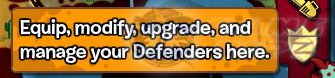
– Click the Defender icon to view all available Defenders in your list.
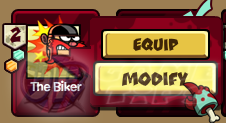
– Click on the Defender you want to Modify. For this guide, we will use The Biker.
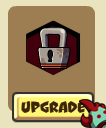
– Before you can equip your Mods, you have to unlock a Mod slot first.
– Mod Slots can be upgraded by spending Cup Cakes. Cup Cakes can be gained from zombie
drops and by completing Goals or Daily Goals.
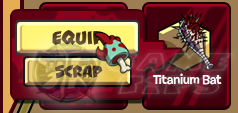
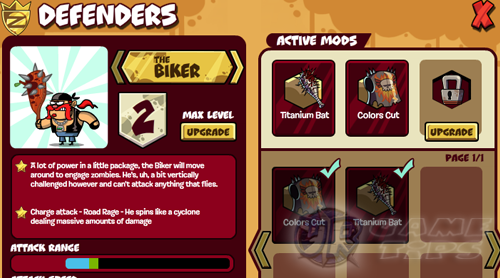
– At the Defender Mod Management Page, equip the Mod that you bought for The Biker.
– Continue doing all the method above to make your The Biker powerful!
Example Set Ups (keep on unlocking mods till you get the items below).
– Equipping Titanium Bat and Colors Cut will give The Biker a huge boost! – Titanium Bat: +20% Attack Damage – Colors Cut: +50% Health
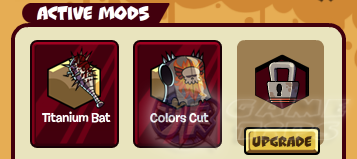
– For more additional stats, upgrade your Defender’s Max Level in the Defender Mod
Management Page. Click on “upgrade” button next to The Biker to increase he’s level.
– Upgrading Defender’s max level will also require Cup Cakes. – Once you upgrade a Defender’s Max Level with cupcakes, you’ll be able to upgrade them
to that level in battle!
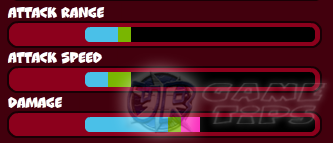
Defender’s Stats (Refer to the The Biker stat window above).
– Blue Stat: Represents the Defender’s default stats. – Green Stat: Represents the Defender’s maximum stats after leveling them during battle. – Pink Stats: Represents the Defender’s added stats with the current equipped Mods.
______________________________________________________________________
Related Zombie Misfits Tips & Guides:
Zombie Misfits: How to Use Mods on Weapons
Zombie Misfits Tips, Tricks and Info
Zombie Misfits Skills: Weapons, Contraptions and Mods
Zombie Misfits: Stage Level Secrets and Tricks or
– CLICK HERE TO BROWSE MORE ZOMBIE MISFITS TIPS & GUIDES –